
diff options
| author | Zach DeCook <zachdecook@librem.one> | 2023-05-28 08:31:43 -0400 |
|---|---|---|
| committer | Zach DeCook <zachdecook@librem.one> | 2023-05-28 08:31:43 -0400 |
| commit | c9f4036651abbf3ceb75ba2d78a8411df07c6d6d (patch) | |
| tree | b83b0f0134513838bd48cfa00718d3b7d01e9370 /README.md | |
| parent | 82dabe69486083a2a70e13054836adc55239f2ae (diff) | |
| download | HexBoard-c9f4036651abbf3ceb75ba2d78a8411df07c6d6d.tar.gz | |
README: start this
Diffstat (limited to 'README.md')
| -rw-r--r-- | README.md | 36 |
1 files changed, 36 insertions, 0 deletions
diff --git a/README.md b/README.md new file mode 100644 index 0000000..3963062 --- /dev/null +++ b/README.md @@ -0,0 +1,36 @@ +# HexBoard MIDI Controller + +The HexBoard is a 140-key board designed for techno-musicians, babies, and computer people. + +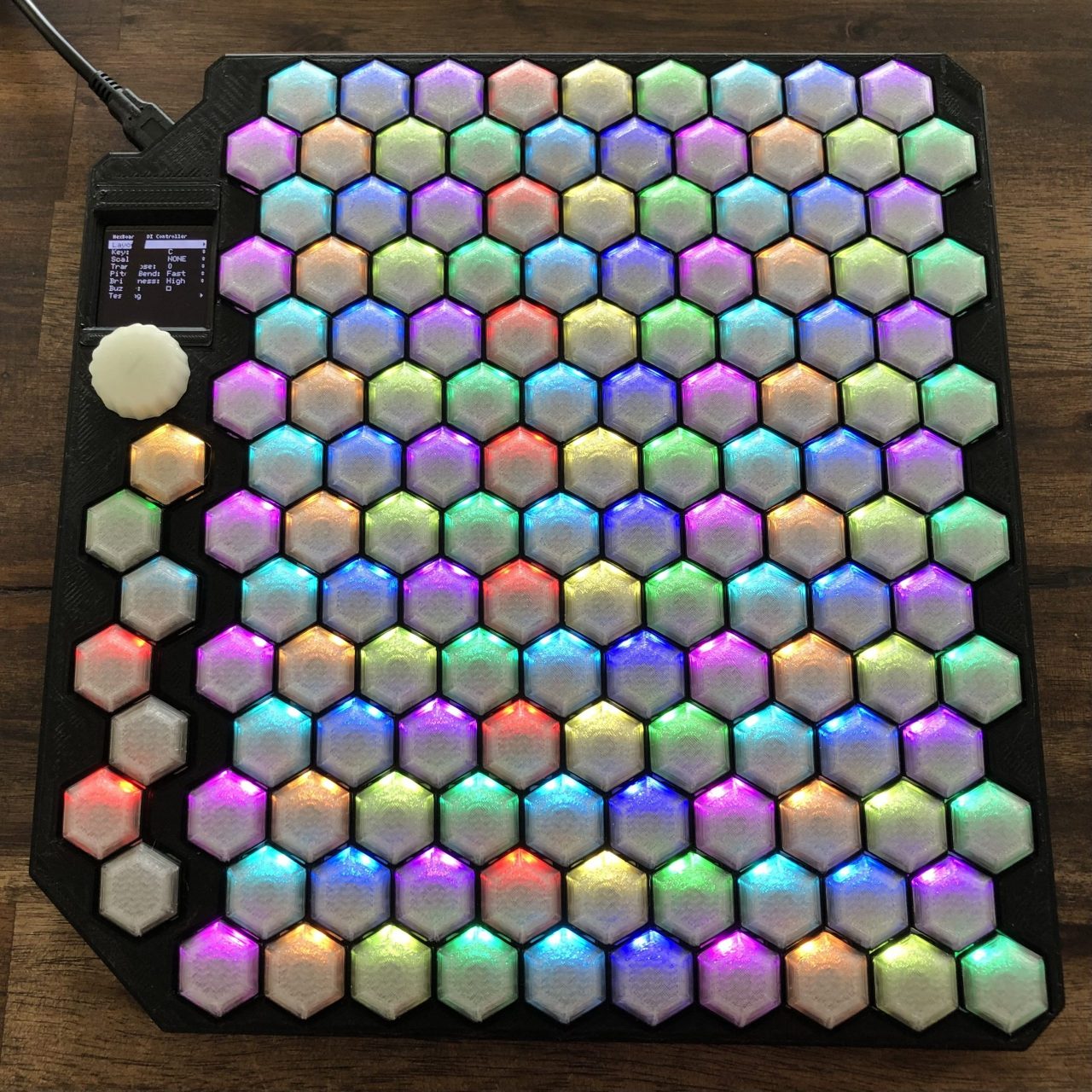 + +You can [order your HexBoard today](https://shapingthesilence.com/tech/hexboard-midi-controller/), +or [contact Jared](mailto:jared@shapingthesilence.com) if you're interested in assembling it yourself. + +## The Team +* Jared DeCook has been writing music, developing hardware, and performing as [Shaping The Silence](https://shapingthesilence.com/) for over a decade. +* Zach DeCook has been listening to music, breaking hardware, and occasionally writing software since the former discovered his exploitable talents. + +## HexBoard Arduino firmware + +The Arduino firmware is the default firmware for the HexBoard (and is what this repository contains). + +### Building the firmware + +If you want to build the firmware, +we'll assume you're already proficient at installing software on your computer at this point. + +#### Using [Arduino-IDE](https://www.arduino.cc/en/software) + +(Instructions to come) + +#### Using [arduino-cli](https://arduino.github.io/arduino-cli/latest/) + +(Instructions to come) + +### Flashing the firmware + +1. Unplug the HexBoard from your computer, then plug it in while holding the button by the USB port. +2. It should appear as a disk in your computer. +3. Copy the .uf2 firmware file onto that disk +4. The disk should eject, and the HexBoard should automatically reboot into that firmware. |